
Instagram Reels have become one of the biggest sources of viral audio trends, inspiring creators, marketers, and casual users worldwide. Whether it’s a trending song, dialogue, or remix, many users now want a reliable way to download Instagram Reels audio for personal use or creative inspiration.
In this updated 2026 guide, you’ll learn four simple, free, and safe methods to download Instagram Reels audio with or without third-party tools. Each method works across devices and follows ethical best practices—so you can save your favorite sounds without risk or confusion.
🎯 WHY DOWNLOAD INSTAGRAM REELS AUDIO?
Instagram Reels audio download is popular because audio trends often drive content visibility and engagement. Saving these sounds allows users to stay creative—even offline.
Common Reasons Users Save Reels Audio:
- Reuse trending sounds for new content ideas
- Build offline audio collections
- Analyze viral audio patterns
- Practice editing or remixing audio clips
✅ BENEFITS OF SAVING INSTAGRAM REELS AUDIO
- 🎧 Offline Access: Listen anytime without internet
- 🎬 Content Creation: Reuse sounds for reels, shorts, or edits
- 📈 Trend Tracking: Stay ahead of viral audio trends
- 🎨 Creative Freedom: Experiment with sound-based projects
🔽 HOW TO DOWNLOAD INSTAGRAM REELS AUDIO (4 FREE METHODS)
🟢 METHOD 1: Using Free Online Instagram Audio Download Websites
This is the fastest and most beginner-friendly method—no apps required.
Steps:
- Open Instagram and copy the Reel link
- Visit a trusted website such as:
- snapinsta.app
- instadownloader.co
- downloadvideosfrom.com
- Paste the Reel link into the input box
- Select Download Audio (MP3)
- Save the file to your device
Advantages:
- No installation required
- Works on Android, iOS, and PC
- High-quality audio extraction
✅ Best for: Quick downloads and non-technical users
🟢 METHOD 2: Using Third-Party Apps (Android & iOS)
Apps provide more control and batch download options, but should be chosen carefully.
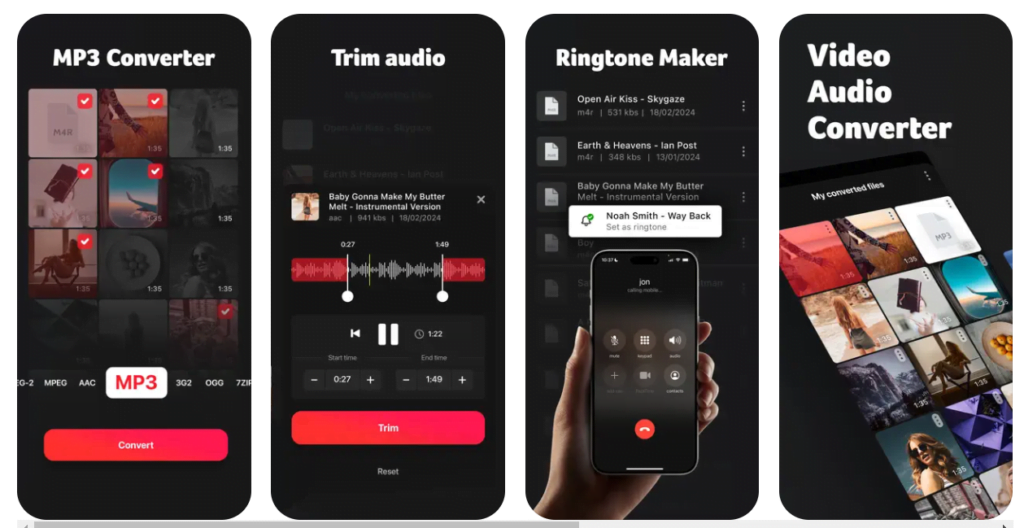
Recommended Apps:
- SnapInsta
- InShot
- MP3 Video Converter
- Media Converter (iOS)
Steps:
- Install a trusted app from the official app store
- Copy the Instagram Reel link
- Paste it inside the app
- Choose Extract Audio
- Save as MP3
Caution:
- Avoid apps requesting unnecessary permissions
- Use apps with strong user reviews
✅ Best for: Frequent creators and editors
🟢 METHOD 3: Screen Recording & Audio Extraction
This method works without internet tools and is reliable when downloads fail.
For Android:
- Enable screen recording from Quick Settings
- Play the Reel and start recording
- Stop recording
- Use a video-to-audio converter app
For iOS:
- Enable Screen Recording from Control Center
- Record the Reel
- Import video into GarageBand or iMovie
- Export audio only
Drawback:
- Slight quality loss compared to direct MP3 downloads
✅ Best for: Backup method when others fail
🟢 METHOD 4: Instagram’s Built-In “Save Audio” Feature

Instagram allows users to save audio inside the app only.
Steps:
- Open the Reel
- Tap the audio title at the bottom
- Select Save Audio
- Access it later from your saved audio library
Limitation:
- Audio cannot be downloaded as an MP3
- Only usable within Instagram
✅ Best for: In-app content planning
📊 QUICK METHOD COMPARISON
| Method | Quality | App Needed | MP3 File | Best For |
|---|---|---|---|---|
| Online Website | High | ❌ | ✅ | Fastest |
| Third-Party App | High | ✅ | ✅ | Creators |
| Screen Recording | Medium | ❌ | ❌ | Backup |
| Instagram Save | Original | ❌ | ❌ | In-app use |
⚖️ ETHICAL & LEGAL GUIDELINES (IMPORTANT)
Downloading Instagram Reels audio should always respect creator rights.
Best Practices:
- Use audio for personal or non-commercial use
- Do not redistribute audio without permission
- Always credit original creators when possible
- Follow Instagram’s official community guidelines
🔗 External Reference: Instagram Copyright & Audio Policies
💡Tips: If you want to simplify social media content creation, read How to Use Copilot for Social Media Apps for actionable AI tips.
❓ FAQ
Yes, but only by saving audio within Instagram—not as an MP3 file.
Yes, if used for personal, non-commercial purposes and without redistribution.
Using free online websites is the simplest and fastest method.
Yes, screen recording may slightly reduce audio clarity compared to direct extraction.
Conclusion
Downloading Instagram Reels audio in 2026 is easier than ever when you follow the right, ethical methods. Whether you prefer quick online tools, mobile apps, or built-in Instagram features, there’s a solution for every user.
🎧 Save trending sounds, stay creative, and never miss an audio trend again.

Hi, I’m Aditya Rathod, a tech content creator and the founder of Zynicon.com.
At Zynicon, I publish clear, practical, and experience-driven content focused on technology, apps, gadgets, AI tools, and emerging digital trends. My goal is to simplify fast-evolving tech topics and present them in a way that is easy to understand, reliable, and genuinely helpful for both beginners and tech enthusiasts.
I actively explore new tools, test apps and devices, and research digital features to ensure every guide and tutorial is written manually, fact-checked, and based on real-world usage. Rather than using hype or jargon, I focus on clarity, accuracy, and usefulness so readers can make informed decisions with confidence.
Through Zynicon, I aim to build a trusted knowledge platform where users can stay updated with technology, discover useful solutions, and learn at their own pace—without confusion or misleading information.
Thank you for being part of the Zynicon community and taking the time to read my work.

